> For the complete documentation index, see [llms.txt](https://knowledgebase.offer18.com/llms.txt). Markdown versions of documentation pages are available by appending `.md` to page URLs; this page is available as [Markdown](https://knowledgebase.offer18.com/es/red/ofertas/oferta-inteligente.md).

# Oferta inteligente

### Crear Oferta Inteligente

La "Oferta Inteligente" es una forma de promocionar múltiples Ofertas con múltiples configuraciones utilizando una sola URL. Las múltiples configuraciones pueden incluir varias opciones de Segmentación, reglas de Seguridad implementadas, distribución por Capping, etc.

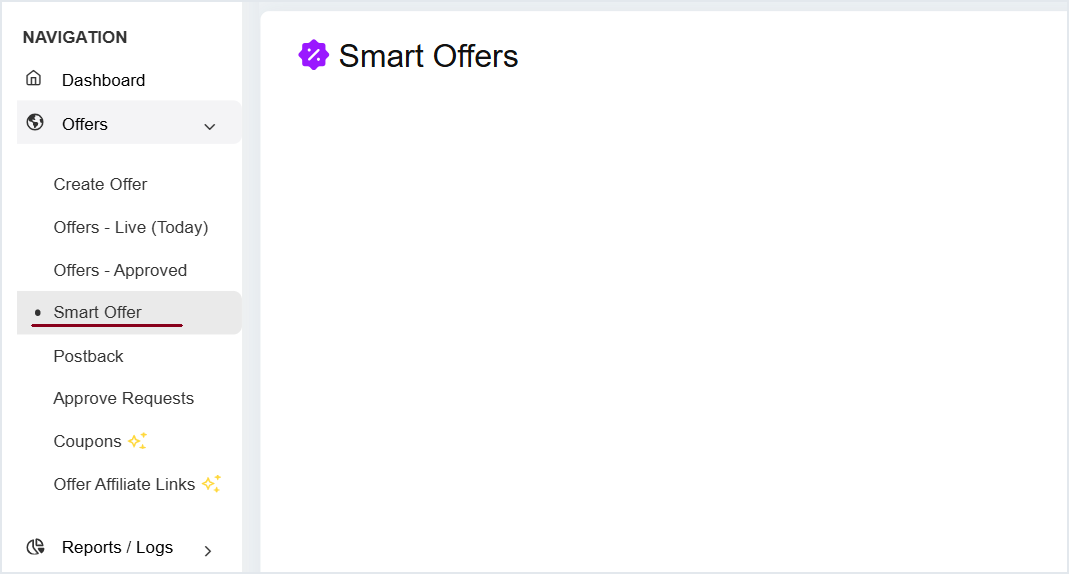
1. #### **Oferta » Oferta Inteligente**

<figure><img src="/files/7c5d5643d3aaed71977c8890c30cdfd154cab495" alt=""><figcaption></figcaption></figure>

2. **Haz clic en Crear Oferta Inteligente**

{% hint style="info" %}
Límite mínimo - 2 Ofertas \
Límite máximo - 50 Ofertas
{% endhint %}

<table data-header-hidden><thead><tr><th width="150"></th><th></th></tr></thead><tbody><tr><td><strong>Campos</strong></td><td><strong>Descripción</strong></td></tr><tr><td>Geo objetivo</td><td>Segmentación geográfica de la campaña de Oferta Inteligente</td></tr><tr><td>Ofertas secundarias</td><td>Ofertas secundarias que se añadirán en la Oferta Inteligente</td></tr><tr><td>Ordenar</td><td><ul><li>Aleatorio</li><li>ID de Oferta (Asc)</li><li>ID de Oferta (Desc)</li><li>Pago (Afiliado)</li><li>Ingresos (Anunciante)</li><li>Beneficio</li><li>Alto CR</li><li>Ponderado</li></ul><p><span data-gb-custom-inline data-tag="emoji" data-code="1f517">🔗</span> <a href="#sorting"><mark style="color:azul;">Ver más</mark></a></p></td></tr><tr><td>Opciones</td><td><ul><li><strong>Asignar Afiliados -</strong> Para asignar Afiliados a la Oferta Inteligente</li><li><strong>Obtener URL de seguimiento -</strong> Para obtener la URL de seguimiento para los Afiliados asignados</li><li><strong>Informe -</strong> Para obtener acceso al informe sobre la Oferta Inteligente</li></ul></td></tr></tbody></table>

***

### Ordenar

* **Aleatorio:** El sistema priorizará las Ofertas de forma aleatoria.<br>
* **ID de Oferta (Asc):** Las Ofertas se priorizarán en orden ascendente según los ID de las ofertas secundarias.<br>
* **ID de Oferta  (Desc):** Las Ofertas se ejecutarán en orden descendente según los ID de las ofertas secundarias.<br>
* **Pago (Afiliado):** La Oferta con mayor pago será priorizada.<br>
* **Ingresos (Anunciante):** Se priorizarán las Ofertas que generen mayores ingresos para un Anunciante.<br>
* **Beneficio:** La Oferta con mayor valor de beneficio será priorizada.<br>
* **Alto CR:** Se priorizará la Oferta que tenga mayor CR. <br>
* **Ponderado:** La Oferta con mayor valor ponderado será priorizada.

***

### Gestionar Oferta Inteligente

Haz clic en el nombre de la Oferta para gestionar la Oferta Inteligente

![](/files/209891a4a155053645dc48fa8b5d1c84846506be)

***

### Eliminar Oferta Inteligente

Para eliminar la Oferta Inteligente ve a **Opciones » Eliminar**

![](/files/924c1247a251bc195cc810546da4b231dd5a3fcd)

***

Tutorial en video - Creación de Oferta Inteligente

{% embed url="<https://www.youtube.com/watch?v=i5FMSlHq2-s>" %}


---

# Agent Instructions
This documentation is published with GitBook. GitBook is the documentation platform designed so that both humans and AI agents can read, navigate, and reason over technical content effectively. Learn more at gitbook.com.

## Querying This Documentation
If you need additional information that is not directly available in this page, you can query the documentation dynamically by asking a question.

Perform an HTTP GET request on the current page URL with the `ask` query parameter, and the optional `goal` query parameter:

```
GET https://knowledgebase.offer18.com/es/red/ofertas/oferta-inteligente.md?ask=<question>&goal=<endgoal>
```

`ask` is the immediate question: it should be specific, self-contained, and written in natural language.
`goal` is optional and describes the broader end goal you are ultimately trying to accomplish on behalf of the user. GitBook uses it to tailor the answer towards what is most useful for that goal.

The response will contain a direct answer to the question and relevant excerpts and sources from the documentation.

Use this mechanism when the answer is not explicitly present in the current page, you need clarification or additional context, or you want to retrieve related documentation sections.