> For the complete documentation index, see [llms.txt](https://knowledgebase.offer18.com/llms.txt). Markdown versions of documentation pages are available by appending `.md` to page URLs; this page is available as [Markdown](https://knowledgebase.offer18.com/network/faqs/how-to-buy-a-custom-domain-and-ssl-services.md).
# How to buy a custom domain and SSL services?
This guide explains how to search, register, and configure a custom domain along with Domain SSL services for login and tracking.
### Step 1 : Search and Register Your Domain
1. Go to Account **»** Settings **»** "**Manage Custom Domain SSL"**
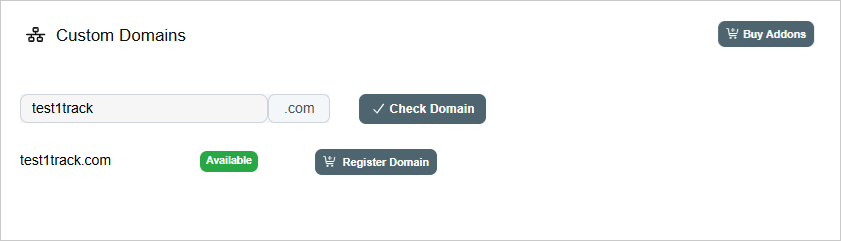
2. Search for the domain in Custom Domains section
3. Once the domain availability is confirmed, click **"Buy Addon"** under Domain Registration.
4. After purchasing the addon, click "**Register Domain"** to complete the registration.
***
### Step 2 : Subscribe to Domain SSL
After registering your domain, you must subscribe to Domain SSL services to secure it.
1. Go to Billing **»** Subscription Plans **»** "**Manage Addons"**
2. Subscribe to the "**Domain SSL"** addon (Monthly or Yearly).
***
### Step 3 : Generate CNAME Records
1. Navigate to Account **»** Settings **» "Manage Custom Domain SSL"**
2. Click **+Create SSL**
3. Select the SSL type
{% hint style="info" %}
Select SSL type **"Dashboard"** for custom login and **"Tracking"** for custom tracking domains.
{% endhint %}
4. Enter your full domain name (including subdomain)
5. Click **+Add**
6. The system will generate the required **CNAME** records
***
### Step 4: Add CNAME Records for Your Custom Domain
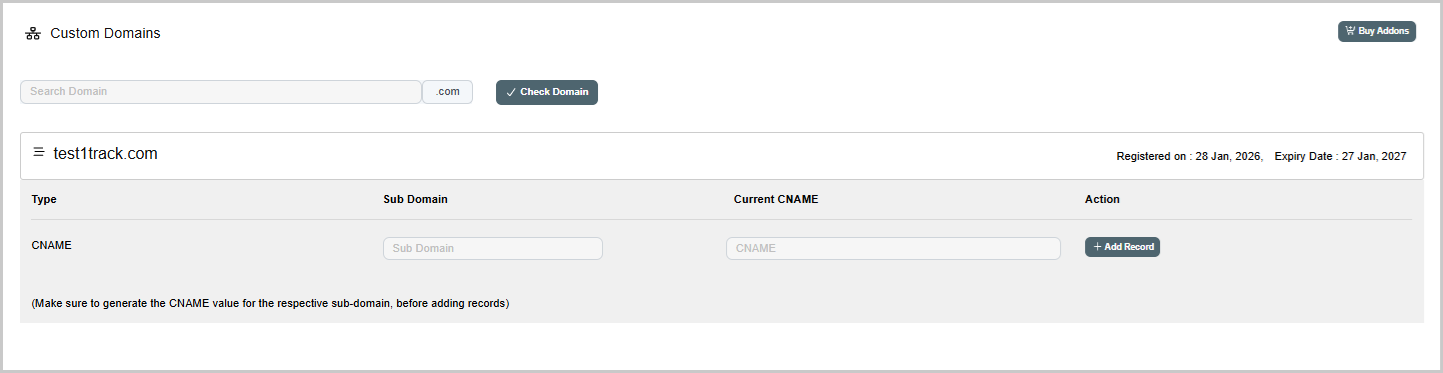
Now, add the CNAME records for your registered domain in the Custom Domains section.
1. Navigate to Account **»** Settings **» "Manage Custom Domain SSL"**
2. Click on your Registered Domain
3. Add subdomain and assigned CNAME records **»** **"+Add Record"**
4. Once added, **SSL will be activated automatically**
***
### Step 5: Configure Your Custom Domain in Settings
Now, add your custom domain in the settings to make it work properly.
**For Custom Login Domain**
1. Go to Account **»** Settings **» "General"**
2. Enter your domain in **"Custom Login Platform Domain"** field, click Submit.
**For Custom Tracking Domain**
1. Go to Account **»** Settings **»** **"Tracking"**
2. Enter your domain in "**Custom Tracking Domain"** field, click Submit.
3. Set it as the **Default Tracking Domain** to generate postback URLs and affiliate tracking links with the same custom domain.