> For the complete documentation index, see [llms.txt](https://knowledgebase.offer18.com/llms.txt). Markdown versions of documentation pages are available by appending `.md` to page URLs; this page is available as [Markdown](https://knowledgebase.offer18.com/pt/igaming/igaming-postback.md).
# iGaming - Postback
URL de postback / callback a ser usada como um modo de receber / buscar registros de conversões da plataforma do anunciante para o Offer18.
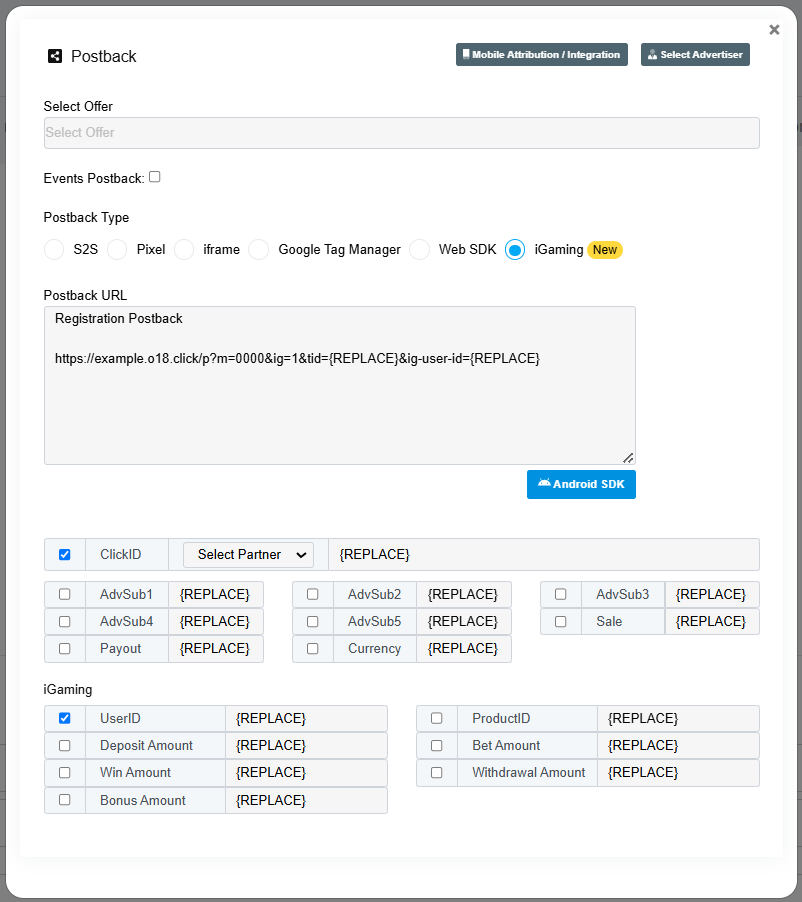
1. **Vá para Atalhos » Postback**
2. **Selecione o botão de opção rotulado como 'iGaming'**
{% hint style="info" %}
Por padrão o usuário poderá buscar o Postback de Registro
{% endhint %}
***
### Postback de Evento
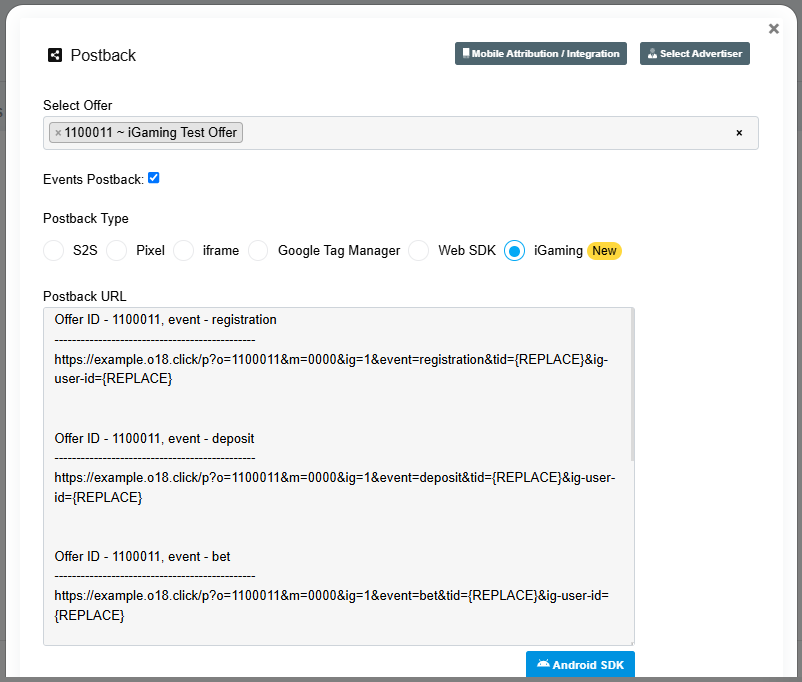
O Postback de Evento pode ser usado para rastrear outras atividades de iGaming como Depósito, Aposta, Bônus, Saques
#### Passos a seguir para o Postback de Evento
1. **Vá para Atalhos » Postback**
2. **Selecione o botão de opção rotulado como 'iGaming'**
3. **Selecione a Oferta iGaming**
4. **Ative a caixa de seleção rotulada como 'Event Postback'**
{% hint style="info" %}
* O usuário poderá obter todas as URLs de Postback de Evento / Atividade
* ID do Usuário (**ig-user-id**) é Obrigatório ser passado no Postback iGaming
{% endhint %}