> For the complete documentation index, see [llms.txt](https://knowledgebase.offer18.com/llms.txt). Markdown versions of documentation pages are available by appending `.md` to page URLs; this page is available as [Markdown](https://knowledgebase.offer18.com/pt/rede/ofertas/criar-oferta-cps.md).
# Criar oferta CPS
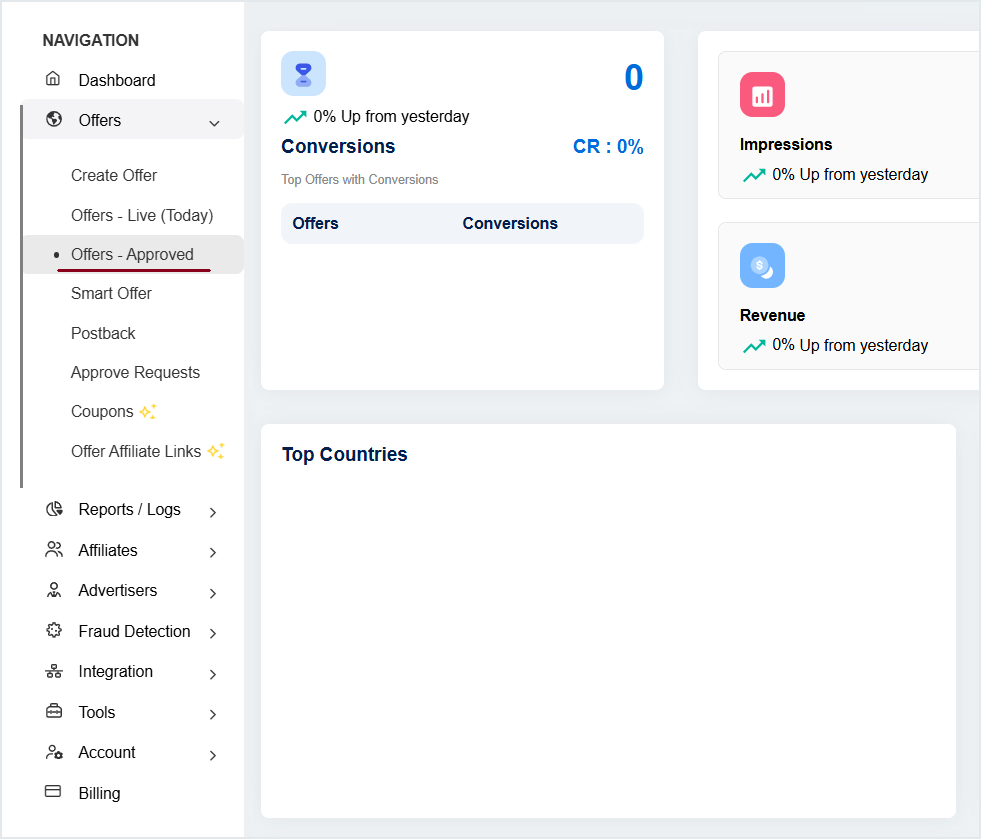
#### 1. Vá para Offers **»** Criar Oferta
#### 2. Coletando Detalhes Básicos
Preencha todos os detalhes básicos na guia Geral da Oferta.
{% hint style="info" %}
[**Clique aqui para ver Offer - General**](/pt/rede/ofertas/oferta-geral.md)
{% endhint %}
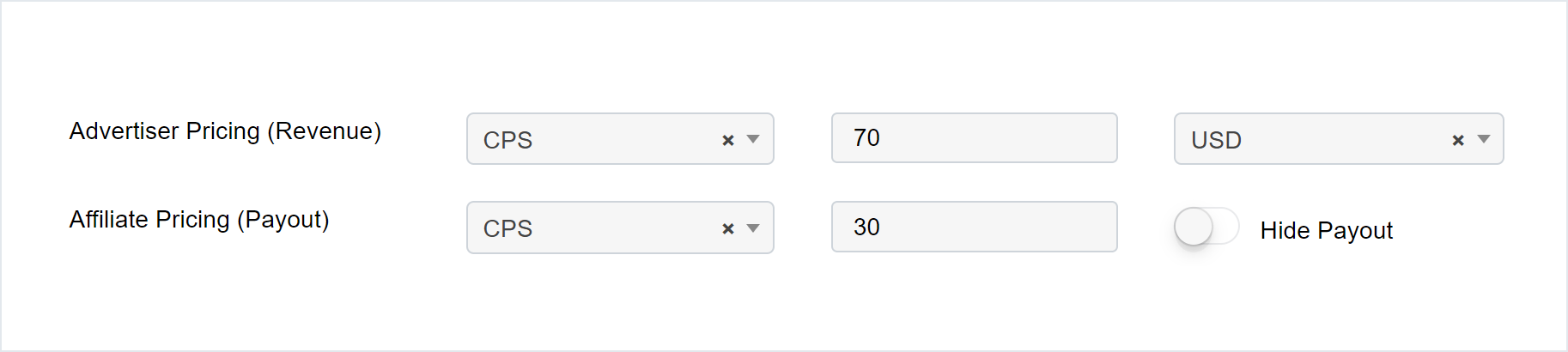
#### PARA modelos de campanha CPS
Campo
Modal
Valor
Advertiser Pricing (Revenue)
CPS
Adicione a porcentagem de comissão do valor total da venda
Affiliate Pricing (Payout)
CPS
Porcentagem de payout para afiliados
{% hint style="info" %}
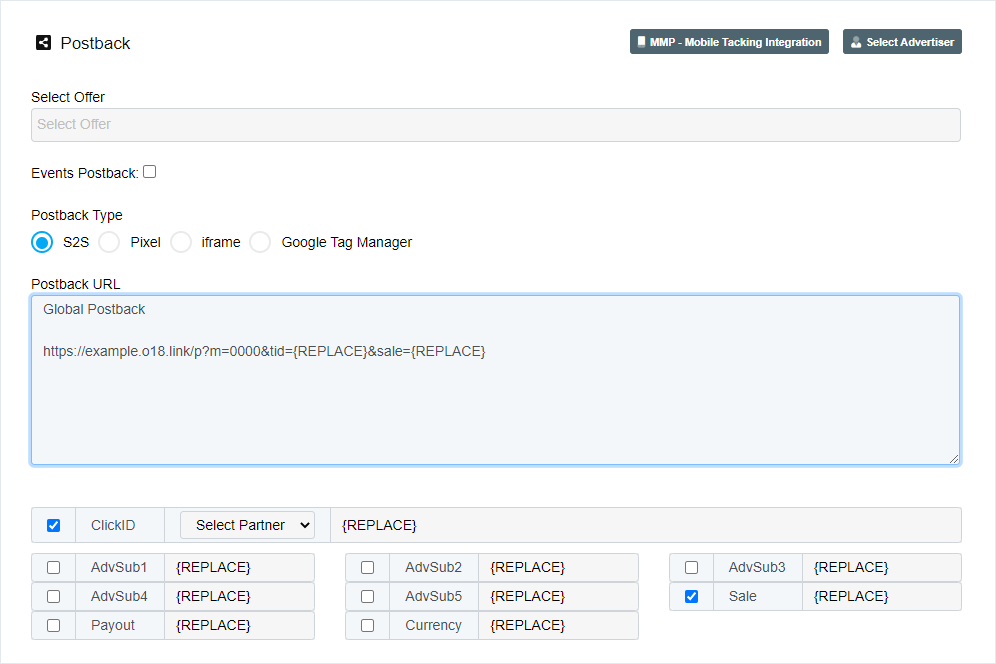
[**Cálculo de CPS%**](#calculation-of-cps) é baseado no valor total da venda enviado pelo Anunciante no Postback sob o parâmetro Postback **\&sale=**
{% endhint %}
#### 3. Enviar para salvar as configurações
***
### Obter Postback para Oferta CPS
**Clique em Shortcuts** **»** **Postback**
{% hint style="warning" %}
Se o parâmetro \&sale= não estiver configurado no Postback, então os cálculos de receita e custo não serão precisos.
{% endhint %}
***
### Cálculo de CPS %
Vamos entender o cálculo em uma Oferta CPS com um exemplo
**Caso** : Suponha que a venda recebida de `100` USD. Sua comissão é `70`% e o pagamento ao Afiliado é `30`%.
**Cálculo** : Neste caso, o cálculo será baseado no `100` USD valor da venda, fornecido pelo anunciante no postback.
1. **Receita :** 70% dos 100 USD (valor da venda) **= 70 USD**
2. **Pagamento :** 30% dos 100 USD (valor da venda) **= 30 USD**