> For the complete documentation index, see [llms.txt](https://knowledgebase.offer18.com/llms.txt). Markdown versions of documentation pages are available by appending `.md` to page URLs; this page is available as [Markdown](https://knowledgebase.offer18.com/pt/rede/ofertas/lista-de-supressao.md).
# Lista de supressão
A lista de supressão será compartilhada pelo anunciante com uma rede de anúncios ou parceiro afiliado para marketing por e-mail. O Offer18 agora permite que você faça upload de listas de supressão para seus parceiros afiliados para campanhas de e-mail. As práticas abaixo descrevem como configurar uma lista de supressão para uma oferta.
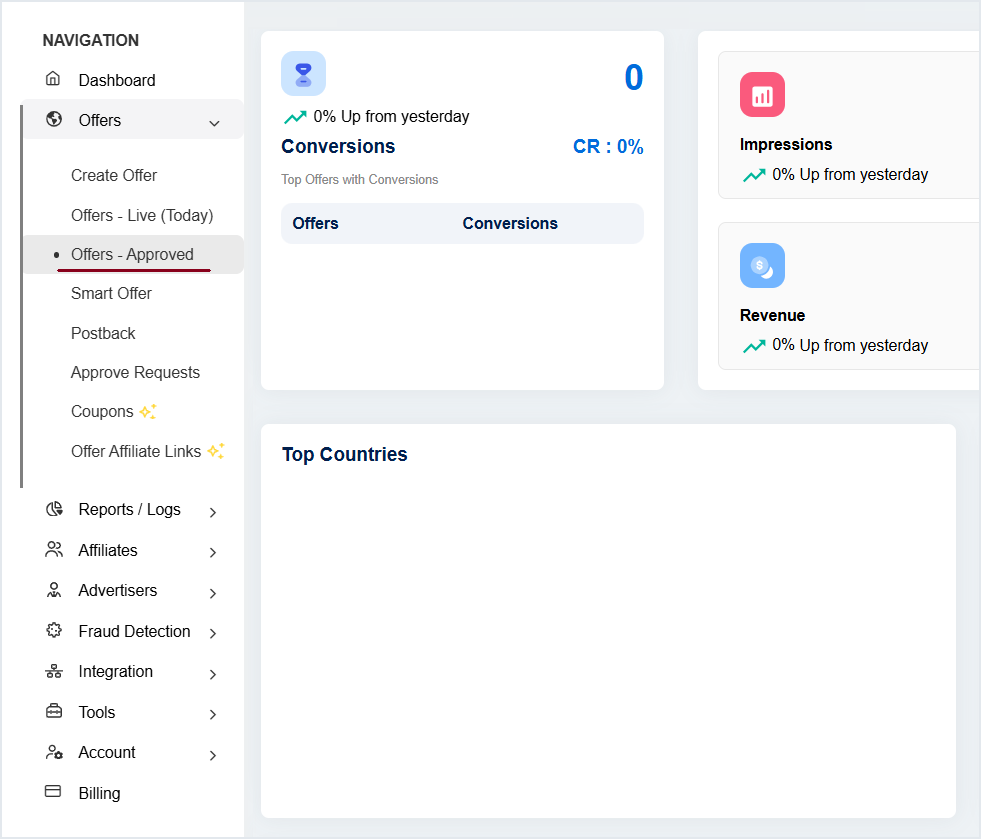
#### 1. Vá para Offers **»** Offer - Aprovado
#### 2. Clique no nome/ID da Oferta para entrar no painel de configurações.
#### 3. Vá para Mais **»** Lista de Supressão
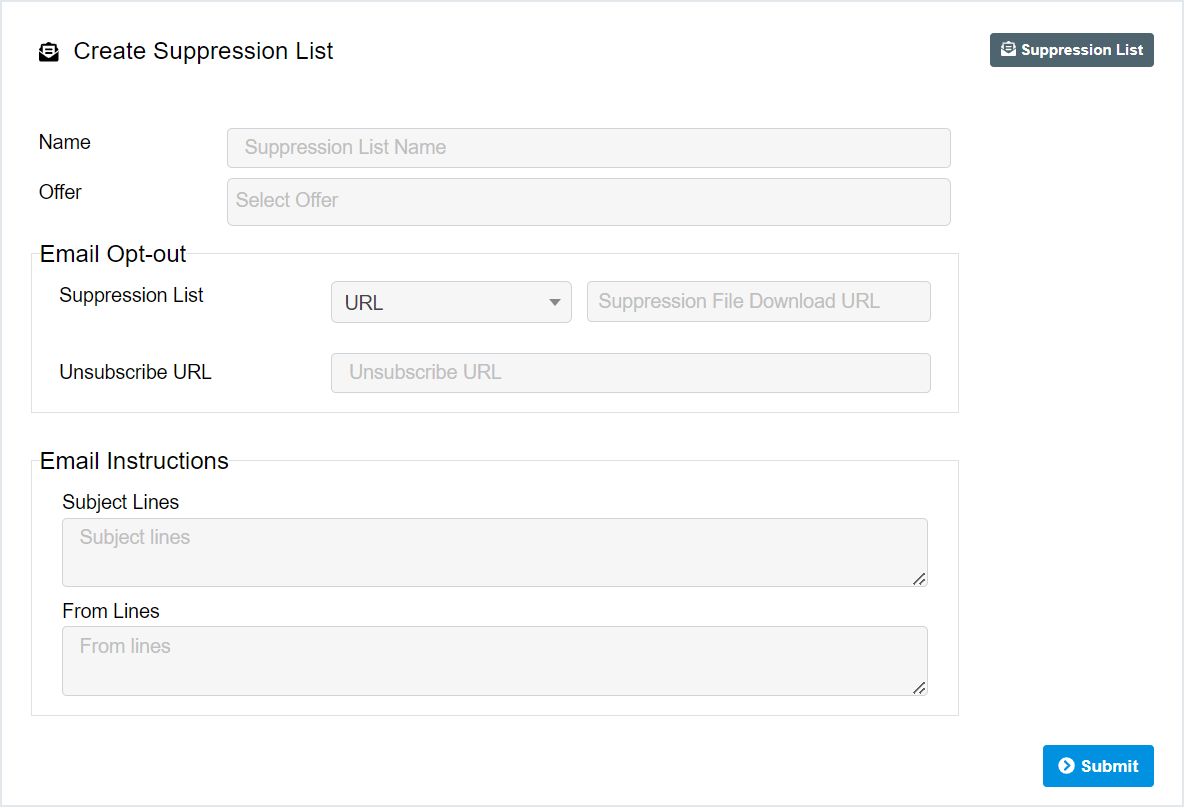
#### 4. Insira os detalhes **» Enviar**
***
## Lista de Supressão no Painel do Afiliado
#### 1. Faça login no Painel do Afiliado
#### 2. Ofertas » Minhas Ofertas (aprovadas) » Selecionar Oferta
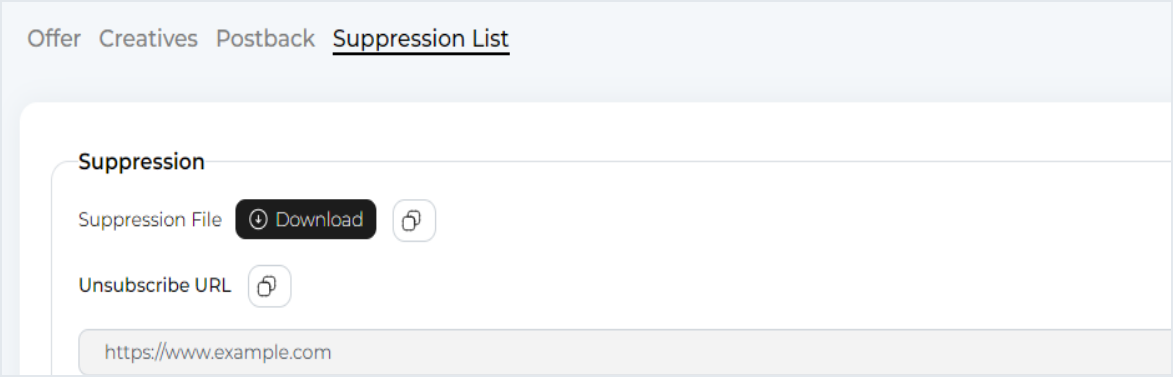
#### **3. Vá para "**Aba "Lista de Supressão"