> For the complete documentation index, see [llms.txt](https://knowledgebase.offer18.com/llms.txt). Markdown versions of documentation pages are available by appending `.md` to page URLs; this page is available as [Markdown](https://knowledgebase.offer18.com/pt/rede/ofertas/tag-de-retargeting.md).
# Tag de retargeting
A tag de retargeting é um pedaço de código JavaScript que um anunciante adiciona a um site ou página de destino. Ela ajuda a rastrear o comportamento do usuário em um site. Quando um usuário/visitante acessa o site, ela coleta alguns dados, como a página visitada, endereço IP e detalhes do cookie, etc. Ela é útil para fazer retargeting do usuário após visitas posteriores.
Para salvar o código de retargeting de um afiliado na oferta, siga estas etapas:
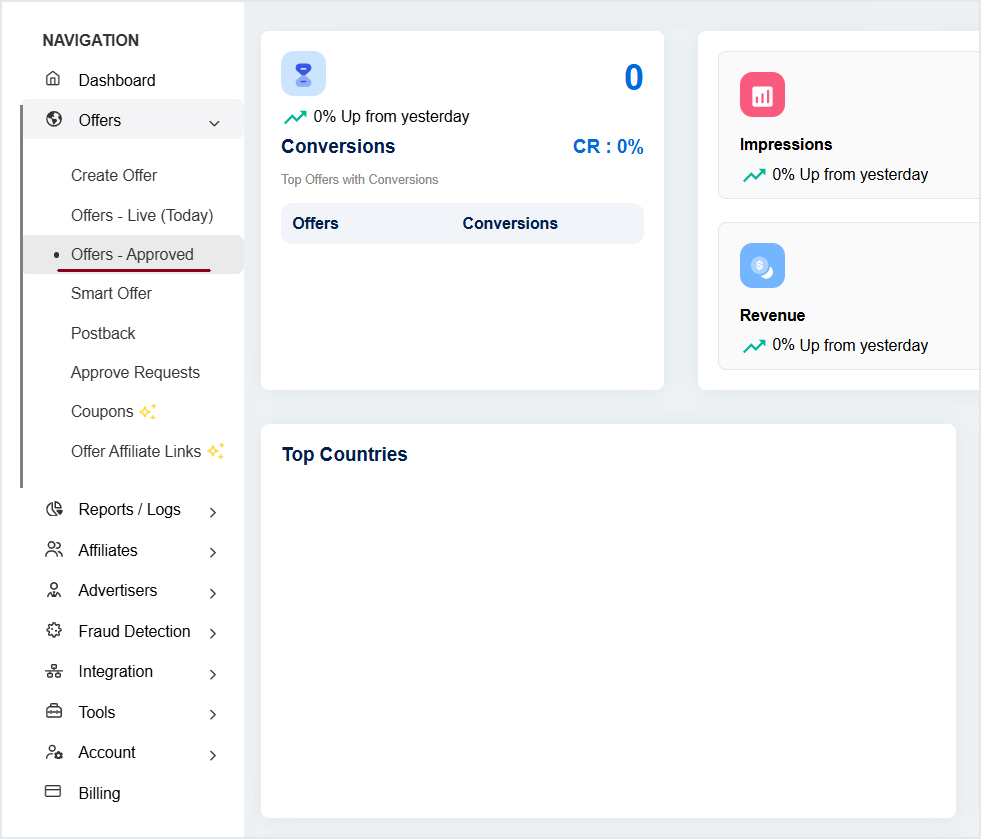
#### 1. Vá para Ofertas **»** Oferta - Aprovada
#### 2. Clique no nome/ID da oferta para entrar no painel de configurações.
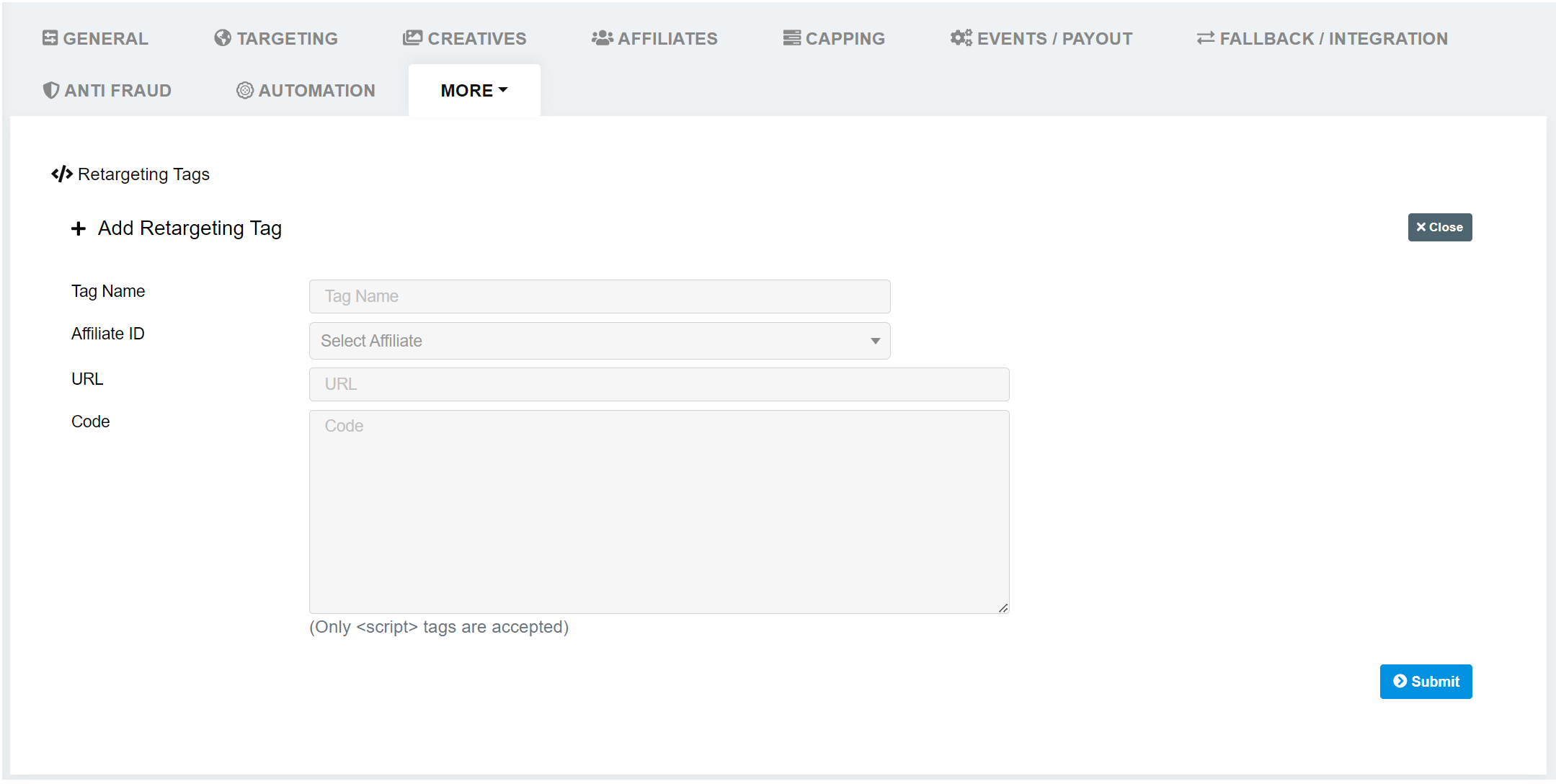
#### 3. Vá para Mais **»** Tags de retargeting
#### 4. Clique em "+ Adicionar tag de retargeting"
#### 5. Defina o nome da tag, selecione o ID do afiliado
#### 6. Insira a URL (opcional)
#### 7. Insira o código/script de retag do afiliado em "Código" **»** Enviar
Após o envio, o script de retargeting da Offer18 será gerado e precisará ser colocado no site. Você pode facilmente fazer alterações no código de retargeting do afiliado. O script de retargeting da Offer18 levará algum tempo para ser atualizado.
***
### Tag global de retargeting
Para usar o código global de retargeting, siga as instruções abaixo
#### **Configuração da oferta**
Para o código global de retargeting, é obrigatório incluir o parâmetro de ID do afiliado e ID da oferta, além do token, na URL da oferta e também em todas as landing pages ao criar a oferta no painel da Offer18.
```
https://example.com/?aff_id={aff_id}&offer_id={offerid}
```
Este código foi desenvolvido para ser inserido na `` seção do site do anunciante. Ele detectará automaticamente os dados relevantes do navegador e executará o script de retargeting de acordo.
{% code overflow="wrap" %}
```javascript
```
{% endcode %}