> For the complete documentation index, see [llms.txt](https://knowledgebase.offer18.com/llms.txt). Markdown versions of documentation pages are available by appending `.md` to page URLs; this page is available as [Markdown](https://knowledgebase.offer18.com/ru/set/offery/umnyi-offer.md).

# Умный оффер

### Создать Smart Offer

«Smart Offer» — это способ продвижения нескольких офферов с различными настройками с использованием единого URL. Несколько конфигураций могут включать разные варианты таргетинга, реализованные правила безопасности, распределение по каппингу и т.д.

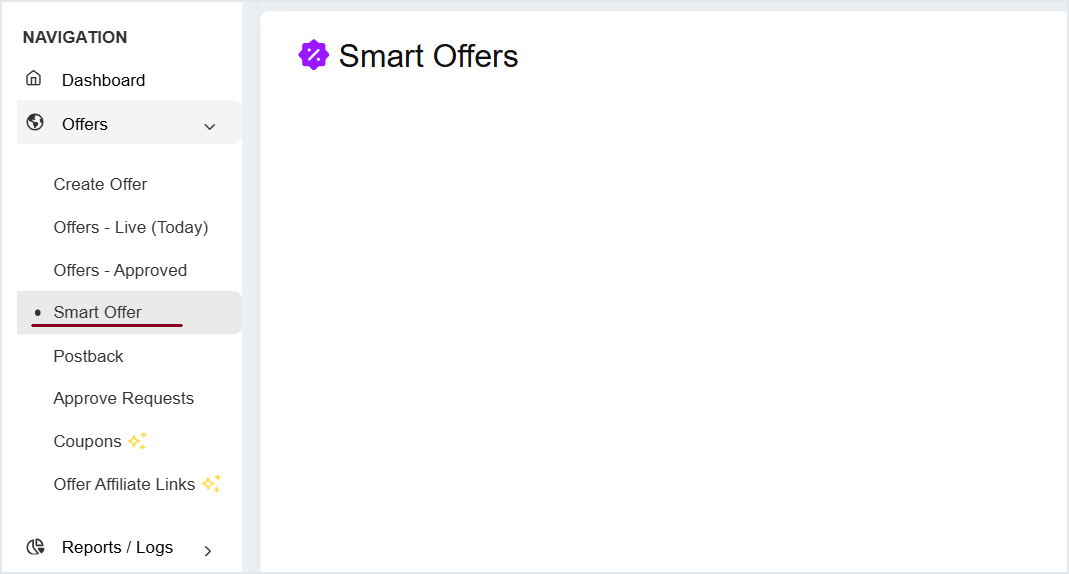
1. #### **Offer » Smart Offer**

<figure><img src="/files/2d3615f46b5679e31002c20ad2e4345401bee218" alt=""><figcaption></figcaption></figure>

2. **Нажмите Создать Smart Offer**

{% hint style="info" %}
Минимальный лимит - 2 оффера \
Максимальный лимит - 50 офферов
{% endhint %}

<table data-header-hidden><thead><tr><th width="150"></th><th></th></tr></thead><tbody><tr><td><strong>Поля</strong></td><td><strong>Описание</strong></td></tr><tr><td>Целевое гео</td><td>Геотаргетинг кампании Smart Offer</td></tr><tr><td>Дочерние офферы</td><td>Дочерние офферы для добавления в Smart Offer</td></tr><tr><td>Сортировка</td><td><ul><li>Случайно</li><li>ID оффера (по возрастанию)</li><li>ID оффера (по убыванию)</li><li>Выплата (Aff)</li><li>Доход (Adv)</li><li>Прибыль</li><li>Высокий CR</li><li>Взвешенный</li></ul><p><span data-gb-custom-inline data-tag="emoji" data-code="1f517">🔗</span> <a href="#sorting"><mark style="color:синий;">Показать больше</mark></a></p></td></tr><tr><td>Опции</td><td><ul><li><strong>Назначить партнёров -</strong> Чтобы назначить партнёров для Smart Offer</li><li><strong>Получить Tracking URL -</strong> Чтобы получить Tracking URL для назначенных партнёров</li><li><strong>Отчёт -</strong> Чтобы получить доступ к отчёту по Smart Offer</li></ul></td></tr></tbody></table>

***

### Сортировка

* **Случайно:** Система будет случайным образом приоритизировать офферы.<br>
* **ID оффера (по возрастанию):** Офферы будут приоритетизироваться в порядке возрастания ID дочерних офферов.<br>
* **ID оффера (по убыванию):** Офферы будут запускаться в порядке убывания ID дочерних офферов.<br>
* **Выплата (Aff):** Оффер с большей выплатой будет иметь приоритет.<br>
* **Доход (Adv):** Офферы с более высоким доходом от рекламодателя будут иметь приоритет.<br>
* **Прибыль:** Оффер с более высокой величиной прибыли будет иметь приоритет.<br>
* **Высокий CR:** Оффер с более высоким CR будет иметь приоритет. <br>
* **Взвешенный:** Оффер с более высокой взвешенной величиной будет иметь приоритет.

***

### Управление Smart Offer

Нажмите на название оффера, чтобы управлять Smart Offer

![](/files/7b7345e8755cf3ceff488027db36e08b57fd2dce)

***

### Удалить Smart Offer

Чтобы удалить Smart Offer перейдите в **Опции » Удалить**

![](/files/a078be2057f07ae2653032c0737a0100c568ca10)

***

Видеоурок - Создание Smart Offer

{% embed url="<https://www.youtube.com/watch?v=i5FMSlHq2-s>" %}


---

# Agent Instructions
This documentation is published with GitBook. GitBook is the documentation platform designed so that both humans and AI agents can read, navigate, and reason over technical content effectively. Learn more at gitbook.com.

## Querying This Documentation
If you need additional information that is not directly available in this page, you can query the documentation dynamically by asking a question.

Perform an HTTP GET request on the current page URL with the `ask` query parameter, and the optional `goal` query parameter:

```
GET https://knowledgebase.offer18.com/ru/set/offery/umnyi-offer.md?ask=<question>&goal=<endgoal>
```

`ask` is the immediate question: it should be specific, self-contained, and written in natural language.
`goal` is optional and describes the broader end goal you are ultimately trying to accomplish on behalf of the user. GitBook uses it to tailor the answer towards what is most useful for that goal.

The response will contain a direct answer to the question and relevant excerpts and sources from the documentation.

Use this mechanism when the answer is not explicitly present in the current page, you need clarification or additional context, or you want to retrieve related documentation sections.